



A couple years ago, “AI assistant” basically meant one of two things.
A chatbot you used once, got a bland answer, and closed the tab. Or a voice assistant that could set a timer, maybe play a song, and then misunderstand you when you asked for literally anything else.
Now it’s different. Not perfect. Not magic. But different enough that you can feel it in day to day work.
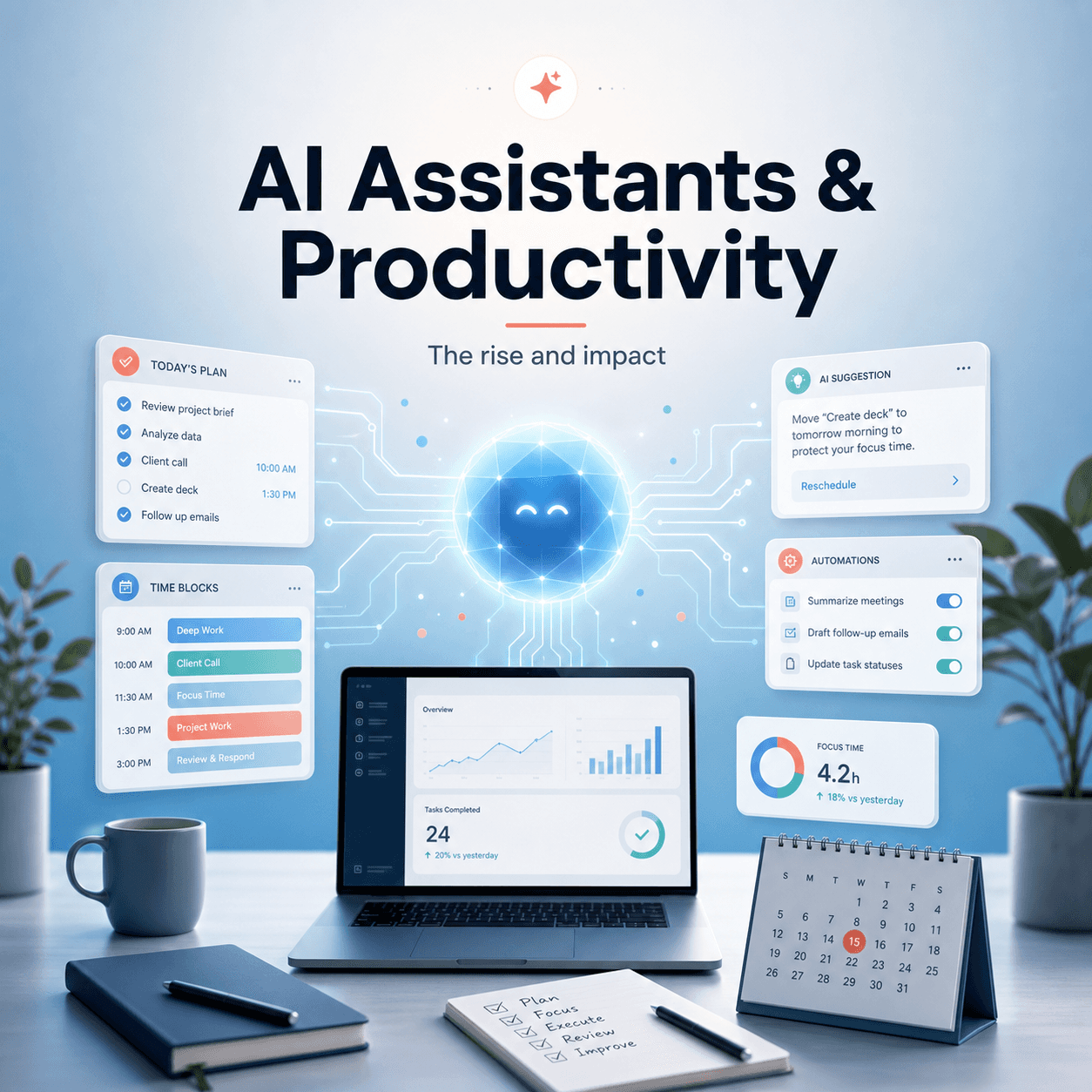
You open your laptop, you have 19 little tasks pulling at you, and instead of starting with the hardest one, you dump the mess into an AI assistant and say, “Help me untangle this.” And it actually does. It summarizes. It suggests a next step. It rewrites something. It reminds you of what you said last week. It pulls the key bullets from a document you do not want to read again.
That shift is why AI assistants have become such a big deal. Not because they are “smart” in a sci fi way. But because they reduce friction. They make starting easier, and starting is the part that usually kills productivity.
So yeah. Let’s talk about what’s happening, why it’s happening now, and what it’s doing to the way people work.
What do we even mean by “AI assistant” now?
This part matters, because “AI assistant” is a fuzzy label.
In 2026, an AI assistant usually means a tool powered by a large language model that can do some mix of:
- Write and edit text (emails, docs, posts, proposals, resumes)
- Summarize information (meetings, PDFs, long threads, research)
- Generate ideas (headlines, outlines, alternatives, options)
- Translate and rephrase (tone shifts, simplification, localization)
- Help with planning (checklists, timelines, meeting agendas)
- Help with data or code (basic analysis, scripts, debugging, formulas)
- Act like a “second brain” (Q and A over your notes, docs, knowledge base)
The big difference vs older software is that you don’t need to know the interface first.
You don’t click through menus thinking, “Where is the feature for this.” You just say what you want in plain language, and the assistant tries to get you there.
Sometimes it nails it. Sometimes it fumbles. But the interaction model is the breakthrough.
Why AI assistants are rising so fast (and why right now)
This didn’t happen because people suddenly got more curious about AI. People have always been curious. The tools just weren’t useful enough.
A few things clicked at once:
1. The models got good at messy human work
A lot of work is not math. It’s not perfectly structured. It’s half thought ideas, vague requirements, “can you make this sound less intense,” or “what am I missing here.”
Modern assistants can actually operate inside that mess. That’s huge.
2. The tools moved into the apps people already use
Instead of visiting a standalone AI site, assistants started showing up inside email, docs, browsers, meeting tools, CRMs, IDEs, help desks.
That matters because productivity tools only work when they’re close to the work.
3. Cost dropped and speed improved
When the response time goes from “wait, wait, wait” to “here you go,” you use it more. When pricing is accessible, teams test it. When teams test it, it becomes normal.
4. Everyone is overloaded
This is the least technical reason and probably the most real.
People are drowning in tabs, messages, docs, meetings, updates, plus expectations that keep climbing. AI assistants are basically being adopted as a coping mechanism.
Not in a depressing way. More like, “I need an extra pair of hands and I do not have one.”
The actual ways AI assistants boost productivity (where the gains come from)
Productivity is a loaded word. Some people hear it and think hustle culture. But the practical version is simpler.
Productivity is just: get more of the right things done, with less wasted energy.
AI assistants help in a few consistent ways.
1. They reduce the cost of starting
Starting is painful because you have to decide what to do, how to do it, and what “good” looks like. That’s a lot of cognitive load before you’ve even produced anything.
So you procrastinate. Or you busy yourself with easy tasks.
An AI assistant makes starting cheaper.
You can say:
- “Give me an outline for this report based on these bullet points.”
- “Draft the first version of this email, keep it polite but firm.”
- “Turn my notes into a meeting agenda.”
- “Summarize what the client is asking for and list the open questions.”
You still have to review and steer, obviously. But that blank page anxiety drops a lot.
2. They compress research and reading time
A huge chunk of modern work is reading things you didn’t write.
Docs. Threads. Tickets. PRDs. Contracts. Competitor pages. Meeting notes. Long emails that could have been three lines.
AI assistants are very good at the first pass:
- Pulling key points
- Identifying decisions and action items
- Highlighting contradictions or missing info
- Extracting names, dates, metrics, requirements
And if you combine that with Q and A, it gets even more useful.
Instead of reading a 40 page PDF, you can ask:
- “What is the main claim?”
- “What are the risks they mention?”
- “What are the requirements that affect us?”
- “Quote the paragraph that defines the deadline.”
You still need to verify. But for many tasks, that first pass is 70 percent of the work.
3. They speed up communication and editing
This is the one people notice first.
Emails, proposals, internal updates, job descriptions, policies, performance feedback. All of it is writing. And writing takes time.
AI assistants can:
- Draft faster than most people can type
- Rephrase without emotion
- Tighten long paragraphs
- Match a tone (more friendly, more direct, more confident, less corporate)
- Produce variants (short version, long version, executive summary)
The real productivity boost is not “it writes for you.”
It’s that it turns writing into an iterative process where you can get to a good version quickly. Like having an editor who never gets tired.
4. They help with thinking, not just output
This is underrated.
A good assistant can play the role of:
- A brainstorming partner
- A critic
- A logic checker
- A clarifier
You can ask things like:
- “What am I not considering here?”
- “Argue against this plan.”
- “List the assumptions I’m making.”
- “Turn this into a decision memo.”
- “Help me prioritize these tasks based on impact and urgency.”
It’s not always correct, but it often gets you unstuck. And being unstuck is productivity.
5. They automate the boring glue work
The glue work is the stuff between the important stuff.
- Formatting
- Converting notes to clean docs
- Writing follow up messages
- Updating status reports
- Creating checklists
- Summarizing meetings into action items
- Turning a call transcript into a client recap
If you’ve ever spent 45 minutes “cleaning up” a document so it looks normal, you know how much time this drains.
AI assistants are basically built for this kind of cleanup.
What AI assistants change about how we work (the impact is not just speed)
If AI assistants only made people write faster, that would be nice but not revolutionary.
The bigger change is that they shift where your attention goes.
You spend more time on decisions, less time on drafts
Instead of spending an hour writing the first version, you might spend 15 minutes reviewing and steering the assistant’s output.
The time doesn’t disappear. It moves. Toward judgment.
And judgment is the part that actually matters.
More iterations, less perfectionism
When generating another version is cheap, people iterate more.
You can test five headlines. Try three different approaches. Compare a friendly tone vs a direct one. Ask for a shorter version. Ask for a version for executives. Then pick what works.
That makes communication better, not just faster.
Skills shift from “doing” to “directing”
This is the weird part. You start becoming a manager of output.
Prompting is part of it, but not in the cringe “prompt engineer” way.
It’s more like:
- Explaining the goal clearly
- Providing constraints
- Supplying context
- Defining what good looks like
- Reviewing critically
- Correcting errors
- Keeping it on brand or on policy
People who can do this well will look much more productive than people who can’t. Even if they’re equally smart.
The downside: where AI assistants can quietly hurt productivity
This is important, because a lot of people try AI assistants, feel a quick dopamine hit, then later realize they’re producing more stuff but not necessarily better stuff.
A few common traps.
1. Over trust and under checking
AI assistants can be confidently wrong. Sometimes in subtle ways.
A date is off. A feature is invented. A source is implied but not real. A policy is misinterpreted. A summary omits the one sentence that mattered.
If you start treating the assistant like an authority instead of a helper, your productivity gains will get eaten by mistakes.
And worse, mistakes that look polished.
2. More output, more noise
If you can generate 20 Slack messages, 12 email drafts, and 3 strategy docs in an afternoon, you might.
But should you?
AI makes it easy to flood your team with words. That can reduce clarity and increase decision fatigue.
Sometimes the most productive thing is fewer messages, fewer docs, fewer half-baked plans.
AI does not automatically fix that. You have to.
3. Loss of edge in core skills
If you let an assistant write everything, summarize everything, and think through everything, you can get lazy. Not morally lazy. Skill lazy.
Writing is thinking. Summarizing is understanding. Planning is prioritizing.
If you outsource all of it, you can feel productive while your own ability to do the work weakens.
The best approach I’ve seen is “AI drafts, human decides.” Use it like a tool, not a replacement for your brain.
4. Context leaks and privacy issues
A lot of productivity work involves sensitive information. Client data. Internal numbers. Personal employee stuff. Legal docs.
If you paste everything into a random tool without thinking, you can create real risk.
So the rise of AI assistants has forced companies to care about:
- Data retention policies
- What gets logged and stored
- Whether your input trains models
- Access control
- Internal AI tools vs external ones
- Redaction workflows
This is not the fun part. But it’s part of the real impact.
It’s important to note that with the increasing use of AI in productivity tools, there are also potential drawbacks such as increased decision fatigue.
How to use AI assistants for real productivity (without getting weird about it)
A simple framework that works for most people is to treat the assistant as one of these roles, depending on the task.
Role 1: The drafter
You give it the goal and the raw ingredients.
- “Write a first draft using these bullets.”
- “Turn this transcript into a client recap.”
- “Create a project update in this format.”
Role 2: The editor
You give it your draft and ask for improvement.
- “Make this clearer and shorter, keep my tone.”
- “Remove fluff and make it more direct.”
- “Fix grammar but don’t change meaning.”
- “Rewrite for a non technical audience.”
Role 3: The analyst
You give it data or text and ask for structure.
- “Extract action items and owners.”
- “Summarize risks and dependencies.”
- “Find inconsistencies.”
- “Group these notes into themes.”
Role 4: The opponent
You ask it to challenge you.
- “What could go wrong with this plan?”
- “Argue against it like a skeptical CFO.”
- “What questions will stakeholders ask?”
- “List the assumptions and how to validate them.”
And then, one rule that sounds obvious but fixes a lot.
Give context. Every time.
People complain AI is generic, but they give generic prompts. If you want good output, you have to feed it the real situation.
Even just adding:
- Audience
- Goal
- Constraints
- Examples of what you like
- Examples of what you hate
- Any must include facts
…will improve results instantly.
The bigger picture: what this means for teams and companies
On a team level, AI assistants change workflows.
You start seeing:
- Faster drafts, but more review needed
- New norms around what “done” means
- More emphasis on templates and style guides so the assistant can follow them
- A push for centralized knowledge bases because assistants are only as good as the info they can access
- New roles for quality control, compliance, and brand consistency
There’s also a culture shift.
People who used to be valued for speed alone might get less advantage. Because speed is easier to buy now.
The people who become more valuable are the ones who can:
- Define problems clearly
- Make good decisions with imperfect information
- Communicate simply
- Spot errors and edge cases
- Understand the customer
- Keep the work aligned with strategy
Which is honestly how it should have been anyway. But now it’s more visible.
Where this is going next
AI assistants are already moving from “chat” into “do.”
Meaning, not just answering questions, but taking actions across tools:
- Creating tasks in a project manager
- Updating CRMs
- Drafting and scheduling emails
- Generating reports on a schedule
- Pulling metrics automatically
- Handling routine support replies with escalation rules
This is where productivity gains can get real, but also where the risks get real. Because when an assistant can act, not just suggest, you need guardrails.
So the future is probably not one super assistant that does everything. It’s multiple assistants, integrated into specific workflows, with clear permissions.
And more human oversight than people expect.
Final thoughts
AI assistants are rising because they help with the most annoying parts of modern work.
They lower the friction of starting. They speed up reading and writing. They turn messy inputs into structured outputs. They help people think in drafts instead of in perfect sentences.
But the impact on productivity depends on how you use them.
If you use them to produce more noise, you get busier. Not better. If you use them to move faster toward decisions and clarity, you get actual leverage.
That’s the real shift.
Not that AI assistants replace work.
They change where the work happens. And if you pay attention, you can make that change work for you instead of against you.
FAQs (Frequently Asked Questions)
What does ‘AI assistant’ mean in 2026?
In 2026, an AI assistant typically refers to a tool powered by a large language model capable of writing and editing text, summarizing information, generating ideas, translating and rephrasing content, helping with planning, assisting with data or code tasks, and acting like a ‘second brain’ for Q&A over your notes and documents. Unlike older software, you interact with it using plain language without needing to navigate complex interfaces.
Why are AI assistants becoming popular now?
AI assistants are rising fast because several factors aligned: the models improved at handling messy human tasks; they integrated into apps people already use like email and browsers; costs dropped and response times sped up; and people are overwhelmed with work overload, making AI assistants valuable as an extra pair of hands to reduce friction in daily tasks.
How do AI assistants reduce the cost of starting work?
Starting work often involves cognitive load deciding what to do and how. AI assistants make starting easier by generating outlines, drafting emails, turning notes into agendas, or summarizing client requests. This lowers blank page anxiety and helps overcome procrastination by providing a helpful first step that users can review and refine.
In what ways do AI assistants compress research and reading time?
AI assistants can quickly pull key points from long documents, identify decisions and action items, highlight contradictions or missing information, and extract important details like names or deadlines. Through interactive Q&A, users can ask for summaries or specific quotes from lengthy PDFs or emails, completing about 70% of the initial research pass efficiently.
What kinds of tasks can modern AI assistants handle?
Modern AI assistants can write and edit various texts (emails, proposals), summarize meetings or research materials, generate creative ideas like headlines or outlines, translate and adjust tone or complexity of text, help plan projects with checklists or agendas, assist with data analysis or coding tasks like debugging scripts, and serve as a knowledge base for Q&A over personal notes.
How do AI assistants improve productivity in daily work?
AI assistants boost productivity by reducing friction in starting tasks, compressing time spent on reading and research, speeding up communication through drafting messages or summarizing threads, and helping manage overloaded workloads. They enable people to get more of the right things done with less wasted energy by simplifying complex or vague tasks using natural language interaction.